
Connection Complexity
Users needed a simple way to establish a VPN connection without dealing with technical network settings, protocols, or configuration steps that could make the experience feel complicated.

Zen VPN App
Centangle worked on Zen VPN as a mobile application focused on making VPN connectivity easier to access and manage through a clear mobile experience. The application brought core VPN interactions into a simplified interface, helping users manage connectivity through an experience designed for everyday mobile use.

Project Overview
Zen VPN was designed to make VPN connectivity easier to access and manage through a clear mobile interface. The application brings core connection controls, connection status, and server options into one streamlined experience, helping users interact with the VPN service without unnecessary complexity.

The Mandate
The requirement was to simplify how users connect, manage their VPN session, and understand the current connection status. Zen VPN needed an experience where important actions remained easy to find while technical processes stayed in the background.
The Environment
VPN services rely on complex network processes, but users need an experience that feels simple and predictable. Zen VPN was structured to keep technical complexity out of the user journey while presenting essential controls and connection information clearly.
Our Role
Centangle worked on structuring Zen VPN around a simple connection journey, clear connection states, organised server options, and a consistent mobile interface. The focus was on making VPN functionality easier to understand, access, and manage through everyday mobile use.
The Challenge
VPN applications involve technical processes that users should not have to understand in order to connect. The challenge was to make core actions such as connecting, viewing status, and selecting available servers easy to understand within a simple mobile experience.
At the same time, the application needed to keep the interface clear and responsive without exposing unnecessary technical detail. The experience had to balance functionality with simplicity so users could manage their VPN connection confidently.
Users needed a simple way to establish a VPN connection without dealing with technical network settings, protocols, or configuration steps that could make the experience feel complicated.
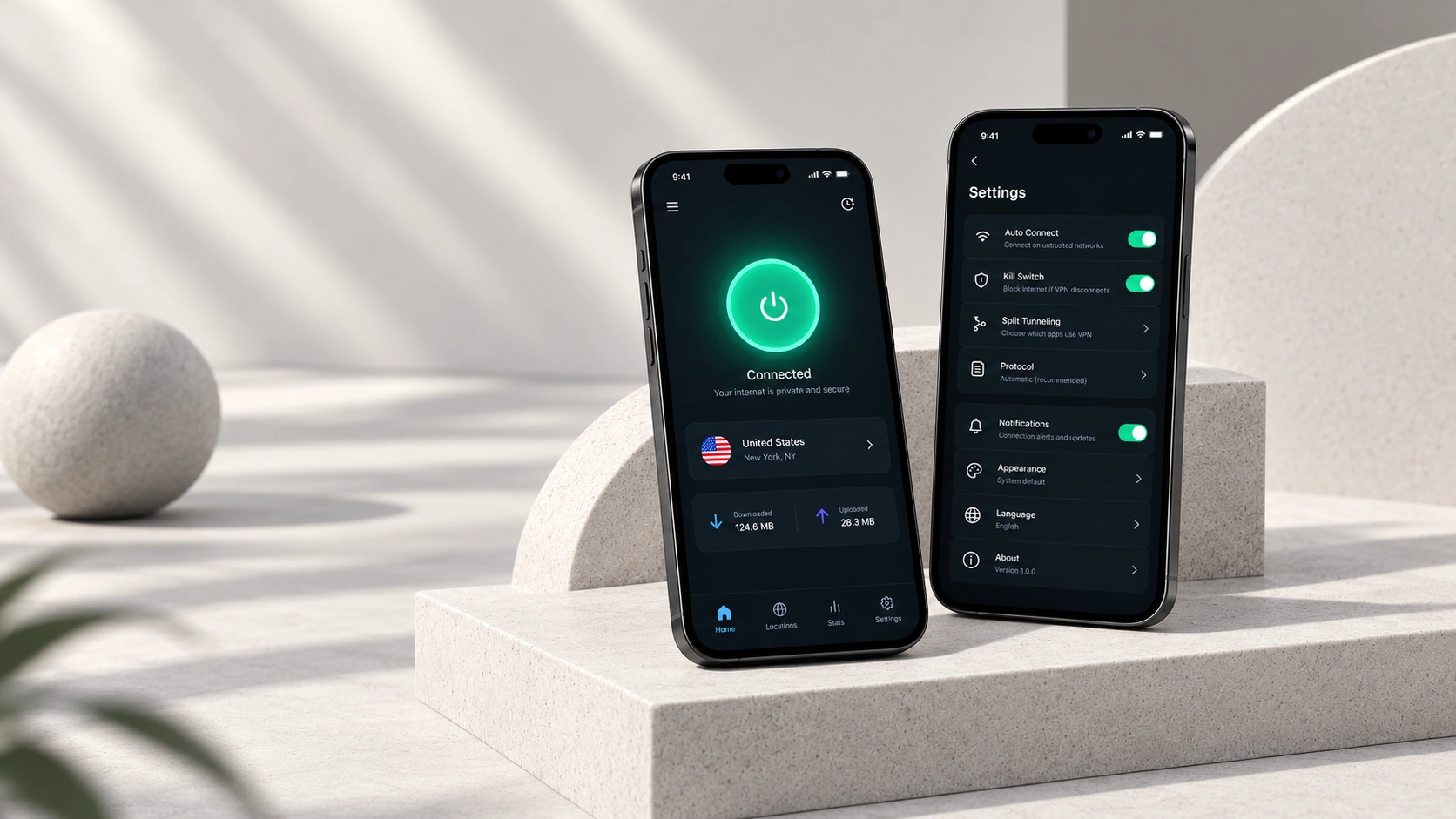
The application needed to clearly communicate whether the VPN was connecting, connected, disconnected, or facing an issue so users could understand the current state at a glance.
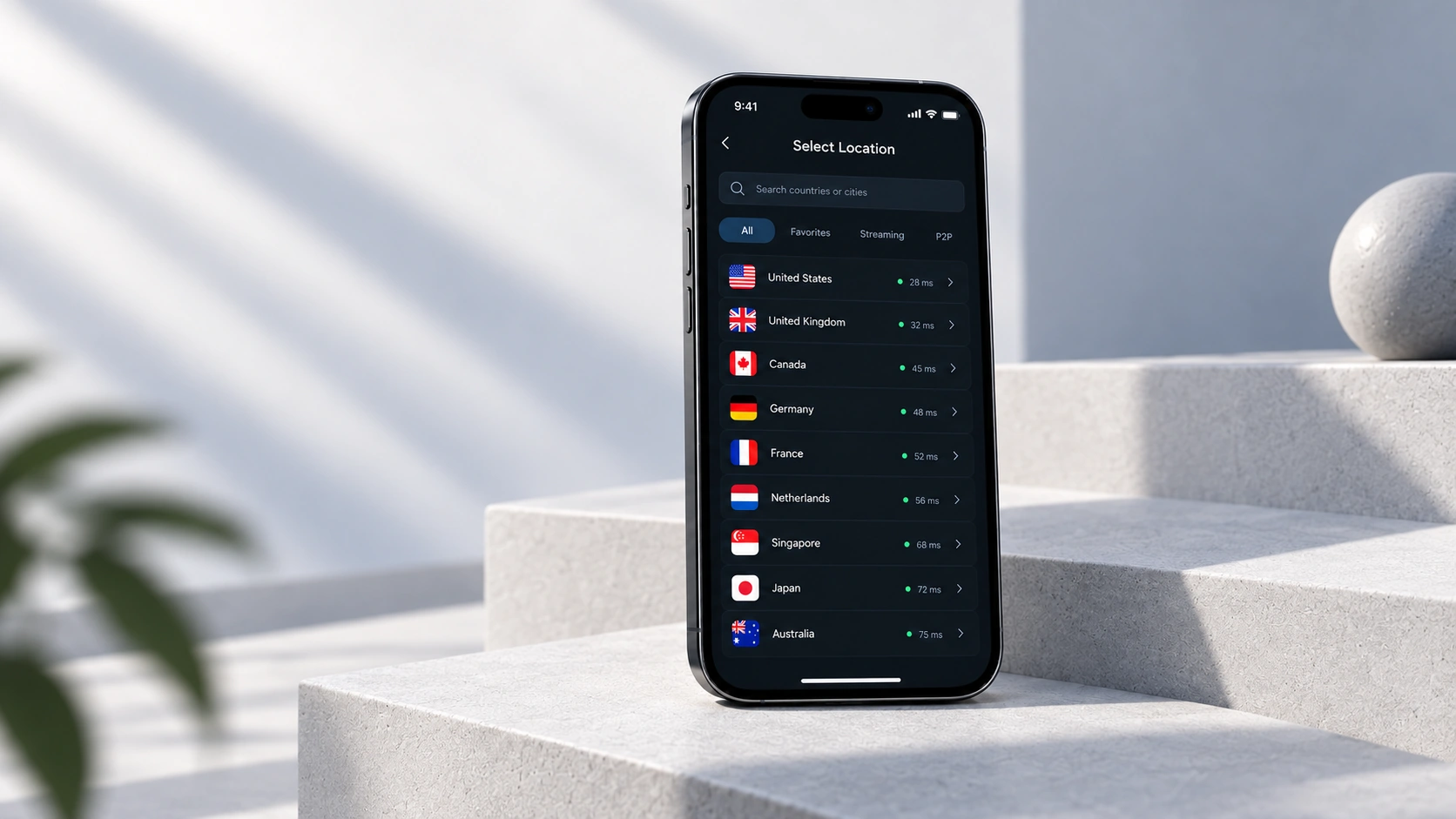
Available server or location options needed to be organised clearly so users could browse, compare, and select a connection point without unnecessary navigation or confusion.
Core VPN actions had to remain easy to reach within a compact mobile interface, with clear hierarchy and minimal steps between opening the app and establishing a connection.
The Solution
Zen VPN was structured around a simple mobile journey that kept connection controls, server options, and connection status easy to access. The experience reduced unnecessary technical complexity and organised the most important VPN actions within one clear and consistent interface.
Zen VPN App - System Architecture
Mobile Experience
Shows connection status, servers, controls, and settings.
Manages connect, disconnect, and switching actions.
Organises available servers and locations.
Tracks and displays the current VPN state.
Connects the app with VPN infrastructure.
Stores available server and location information.
Stores selected preferences and session details.
Supports updates, fixes, and app performance.
FEATURE 01
Users can establish or disconnect a VPN session through a clear primary action without navigating through complex network settings.
FEATURE 02
The interface clearly shows whether the VPN is connecting, connected, disconnected, or requires attention.
FEATURE 03
Available connection options are organised in a structured way so users can browse and select a preferred server or location easily.
FEATURE 04
Core VPN actions remain easy to access through a clean mobile layout with minimal steps and a clear interaction hierarchy.
FEATURE 05
Users can manage their active VPN session, switch between available connection options, and control connectivity from one central mobile experience.
FEATURE 06
Secondary controls and preferences are kept separate from the main connection journey, helping the interface stay focused while still giving users access to additional options.
The Zen VPN App was delivered through a process focused on understanding the core connection journey, organising app functionality, designing a clear mobile experience, developing the required modules, testing connection flows, and preparing the product for practical use.
PHASE ONE
Centangle reviewed the app concept, user needs, connection journey, core VPN actions, and expected mobile use cases.
PHASE TWO
The app structure was planned around connection control, server selection, status visibility, session management, and settings.
PHASE THREE
Mobile screens were designed to make VPN actions easy to access and understand through a clean interface.
PHASE FOUR
The app was developed with core VPN functionality, server selection, connection-state handling, and user preferences.
PHASE FIVE
The app was tested and refined for usability, connection clarity, performance, and release readiness.
The Zen VPN App helped bring connection controls, server selection, connection status, and user preferences into one structured mobile experience. Instead of dealing with complex network settings, users could manage core VPN actions through a clear and accessible interface.
WORK WITH US
Centangle helps teams build simple, reliable mobile connectivity experiences.